How to Connect Solar Panels to Jackery – Parallel Wiring & Voltage Rules
Jackery power stations use a built‑in MPPT controller, but unlike EcoFlow or BLUETTI, Jackery models have low PV voltage limits. This means you must wire solar panels in parallel to keep voltage safe and compatible.
This guide shows you exactly how to connect solar panels to Jackery using MC4 connectors, Y‑branch adapters, and model‑specific voltage rules.
Jackery Solar Input Limits (Quick Reference)
| Jackery Model | Max Solar Input (W) | PV Voltage Range (V) |
|---|---|---|
| Explorer 300 / 500 | 100W | 12–30V |
| Explorer 1000 | 200W | 12–30V |
| Explorer 1000 Pro | 800W | 12–30V |
| Explorer 1500 | 500W | 12–30V |
| Explorer 1500 Pro | 1400W | 12–30V |
| Explorer 2000 Pro | 1400W | 12–30V |
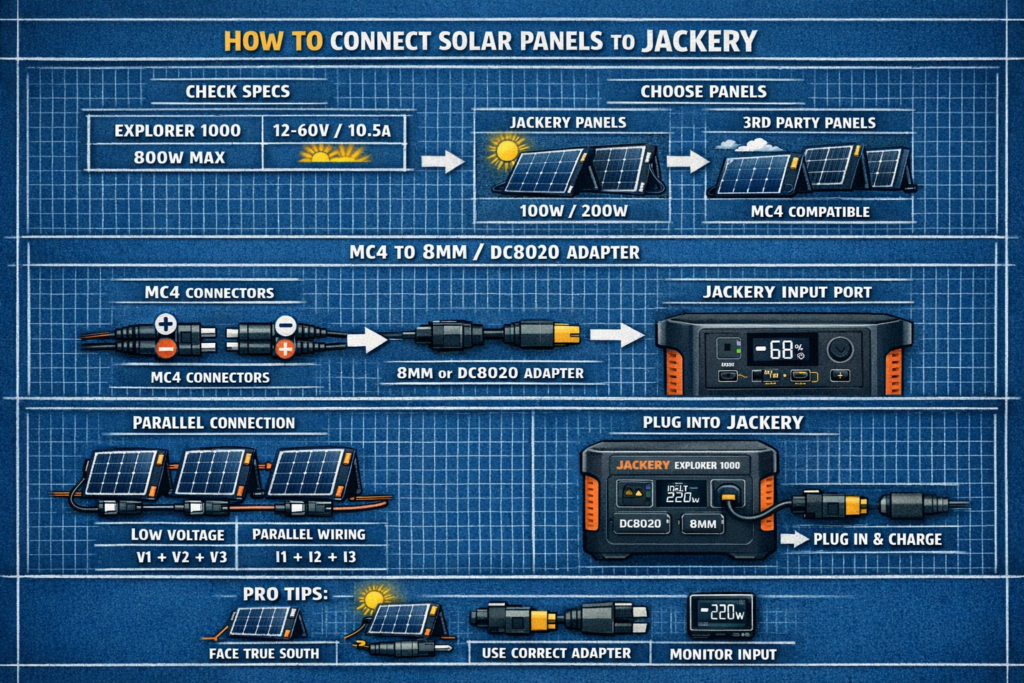
Rule: Never exceed 30V. One 100W panel is ~18V. Two in series = 36V → unsafe for Jackery.
Required Parts
- Solar panels with MC4 connectors
- Jackery SolarSaga panels or third‑party MC4 panels
- Jackery’s MC4 → 8mm adapter (included with most models)
- MC4 Y‑branch connectors (for parallel wiring)
- MC4 extension cables (optional)
How to Wire Solar Panels in Parallel (Required for Jackery)
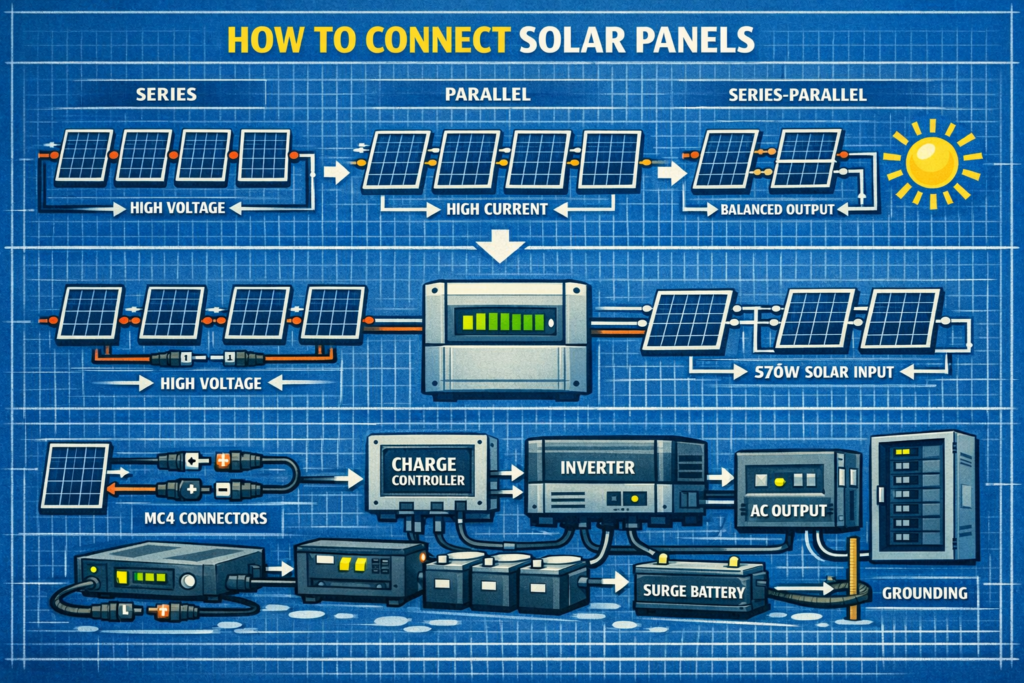
Parallel wiring keeps voltage the same but increases amperage. This is exactly what Jackery requires.
How to wire in parallel:
- Use MC4 Y‑branch connectors
- Combine all positive (+) leads together
- Combine all negative (–) leads together
- Connect the combined MC4 leads to Jackery’s MC4 → 8mm adapter
- Plug the 8mm connector into the Jackery solar input
Example:
| Panels | Result |
|---|---|
| 2 × 100W (18V, 5.5A) | 18V, 11A |
| 3 × 100W | 18V, 16.5A |
Why parallel? Jackery’s 30V limit means even two 100W panels in series (36V) would exceed the safe range.
How to Connect Solar Panels to Jackery (Step‑by‑Step)
- Place panels in full sun with no shading
- Wire panels in parallel using MC4 Y‑branch connectors
- Connect MC4 leads to Jackery’s MC4 → 8mm adapter
- Plug the 8mm connector into the Jackery solar input port
- Check the display for incoming watts
Jackery auto‑detects solar input—no settings required.
Jackery Wiring Examples
Max Input: 100W
Use 1 × 100W panel or 2 × 50W in parallel.
Max Input: 200W
Use 2 × 100W panels in parallel.
Max Input: 500W
Use 4–5 × 100W panels in parallel.
Max Input: 1400W
Use 6–8 × 200W panels in parallel (depending on panel wattage).
Why Jackery Does Not Support Series Wiring
- Series wiring increases voltage
- Two 100W panels in series = ~36V
- Jackery max = 30V
Series wiring will exceed the voltage limit and can damage the unit.
How to Avoid Voltage Problems
- Always wire in parallel
- Never exceed 30V open‑circuit voltage
- Use identical panels (same Vmp and Voc)
- Keep cable runs short to reduce voltage drop
Common Mistakes When Connecting Solar to Jackery
- Wiring panels in series (dangerous voltage)
- Mixing different panels (voltage mismatch wastes power)
- Using long, thin cables (voltage drop reduces watts)
- Shading one panel (parallel helps, but still reduces output)
- Using the wrong adapter (Jackery uses 8mm or proprietary connectors)
FAQ: Connecting Solar Panels to Jackery
Can I use third‑party solar panels?
Yes—any MC4 panel works as long as voltage stays under 30V.
Can I use series wiring?
No. Jackery does not support series wiring due to low voltage limits.
Do I need fuses?
Only if using more than 3–4 panels in parallel.
Can I mix different wattage panels?
Not recommended—voltage mismatch reduces output.
🔆 Explore More Solar Wiring Guides
Pair your Jackery with the right wiring, angles, and panel sizing for maximum efficiency.
As an Amazon Associate, we earn from qualifying purchases. This does not affect our reviews or product recommendations.