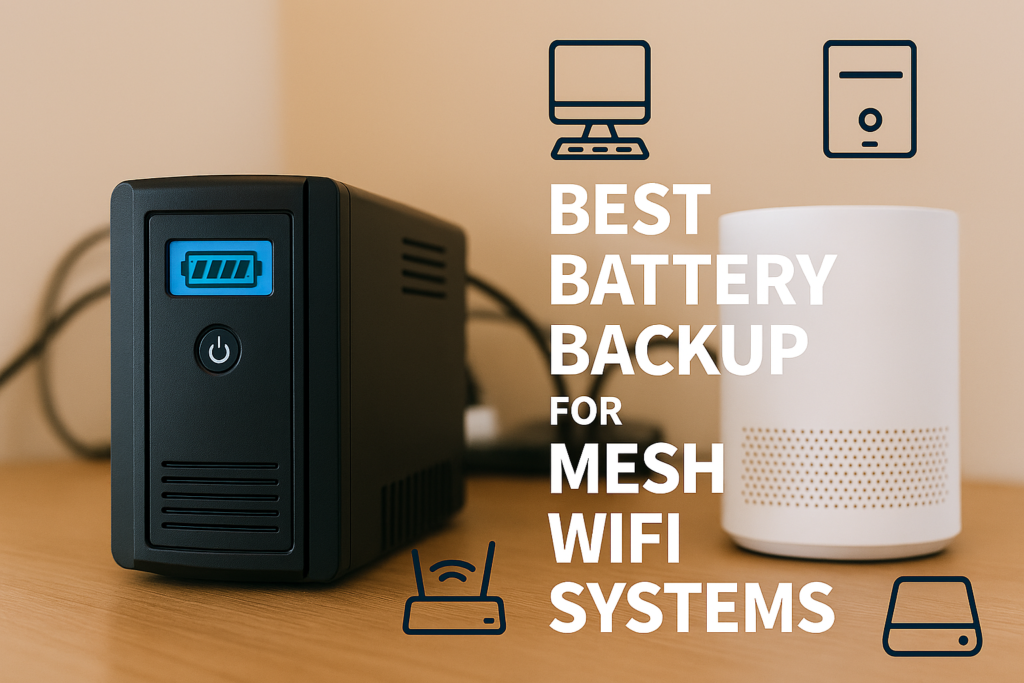
Best Battery Backup for Mesh WiFi Systems – Reviews – Comparisons – Buyer Insight
Mesh WiFi systems keep your entire home connected, but they rely on consistent power to maintain coverage. During outages, a reliable battery backup ensures your modem, primary mesh node, and satellite nodes stay online. Because mesh systems draw more power than a single router, it helps to choose a battery backup with pure sine wave output, fast UPS switchover, and enough capacity to support multiple nodes for several hours.
This guide compares the best battery backup systems for mesh WiFi setups across real‑world scenarios. Each recommendation includes runtime expectations, UPS behavior, inverter strength, and mesh‑specific considerations so your whole‑home WiFi stays online during outages.
Best Mesh WiFi Battery Backup Systems — Quick Comparison
This comparison table gives you a fast overview of the top battery backup systems for mesh WiFi systems. It highlights capacity, runtime, UPS behavior, and best‑use scenarios so you can quickly match a unit to your setup.
| Model | Best For | Capacity | Continuous Output | UPS Mode |
|---|---|---|---|---|
| CyberPower CP1500PFCLCD | Primary mesh node + modem | 1500VA | 1000W | Yes (2–4ms) |
| EcoFlow Delta 2 | Whole‑home mesh systems | 1024Wh | 1800W | Yes (≈30ms) |
| Bluetti EB3A | Single mesh node | 268Wh | 600W | Yes (≈20ms) |
| APC Back‑UPS 850 | Modem + mesh node | 850VA | 450W | Yes (2–6ms) |
| EcoFlow River 2 Max | Long runtime setups | 512Wh | 500W | Yes (≈30ms) |
Best Mesh WiFi Battery Backup Systems by Scenario
Mesh WiFi systems draw more power than single routers because each node broadcasts its own wireless signal. These recommendations cover the most common mesh outage scenarios, from powering a single primary node to keeping an entire multi‑node system online for hours.
CyberPower CP1500PFCLCD
Definition: This category is for users who want the most reliable UPS behavior with near‑instant switchover for their modem and primary mesh node.
The CyberPower CP1500PFCLCD provides 1000W of pure sine wave output with a 2–4ms switchover — ideal for keeping your modem and main mesh node online without interruption. It’s the most stable option for whole‑home connectivity.
| Capacity | 1500VA / 1000W |
|---|---|
| Switchover Time | 2–4ms |
| Best Use | Primary mesh node + modem |
Pros
- Fastest UPS switchover
- Pure sine wave output
- Highly reliable for networking gear
Cons
- Shorter runtime than power stations
- Lead‑acid battery (shorter lifespan)
EcoFlow Delta 2
Definition: This category is for users running multiple mesh nodes across the home who need long runtime and strong inverter output.
The EcoFlow Delta 2 delivers 1024Wh of LiFePO4 storage and an 1800W inverter — enough to power your modem, primary mesh node, and 1–2 satellite nodes for extended outages. Its 30ms UPS mode is acceptable for most mesh systems.
| Capacity | 1024Wh |
|---|---|
| Continuous Output | 1800W |
| UPS Mode | Yes (≈30ms) |
| Best Use | Whole‑home mesh systems |
Pros
- Long runtime for multiple nodes
- Fast AC charging
- LiFePO4 long‑life battery
Cons
- UPS switchover slower than CyberPower
- Higher cost
Bluetti EB3A
Definition: This category is for users who want to power a single mesh node or satellite node during outages.
The Bluetti EB3A offers 268Wh of LiFePO4 storage — enough to power a mesh node for 6–12 hours. Its 20ms UPS mode is fast enough for most consumer mesh systems.
| Capacity | 268Wh |
|---|---|
| Continuous Output | 600W |
| UPS Mode | Yes (≈20ms) |
| Best Use | Single mesh node |
Pros
- Affordable
- Long runtime for a single node
- LiFePO4 long‑cycle battery
Cons
- Not ideal for multi‑node setups
- Fan noise under load
Popular Mesh WiFi Backup Accessories
These accessories help extend runtime, improve stability, and support reliable whole‑home WiFi during outages.
8‑Port Gigabit Switch
Low‑power switch for wired backhaul between mesh nodes.
| Power Draw | 4–8W |
|---|---|
| Use Case | Wired mesh backhaul |
USB LED Light Kit
Ultra‑efficient lighting that maximizes battery runtime during outages.
| Power Draw | 1–3W |
|---|---|
| Use Case | Low‑power lighting |
65W USB‑C Fast Charger
Charges phones and tablets efficiently without using the inverter.
| Output | 65W |
|---|---|
| Use Case | Efficient device charging |
200W Folding Solar Panel
Provides renewable charging for long outages.
| Wattage | 200W |
|---|---|
| Use Case | Extended runtime |
How to Choose the Best Battery Backup System for a Mesh WiFi System
Choosing the right battery backup system for a mesh WiFi setup starts with understanding how many nodes you need to power, their wattage, and how long you want your network to stay online during an outage. Mesh systems draw more power than single routers, especially when multiple nodes are active. Because mesh nodes are sensitive to voltage dips, it helps to choose a system with pure sine wave output, fast UPS switchover, and enough capacity to support your modem and mesh nodes for several hours.
| Factor | What to Consider |
|---|---|
| Continuous Output | Most mesh nodes draw 20–45W each. |
| UPS Switchover Time | Networking gear needs 2–30ms depending on PSU tolerance. |
| Battery Capacity | 300–1000Wh covers 6–24 hours of runtime. |
| Pure Sine Wave Output | Required for stable WiFi performance. |
| Passthrough Charging | Allows the unit to stay plugged in while powering devices. |
| Number of Nodes | More nodes = higher total wattage and shorter runtime. |
People Also Ask (Quick Answers)
What size battery backup do I need for a mesh WiFi system
Most mesh systems need 300–1000Wh depending on the number of nodes.
Can a portable power station run a mesh WiFi system
Yes — as long as it provides pure sine wave output and passthrough charging.
How long will a battery backup run a mesh WiFi system
500Wh typically powers a modem + 1–2 mesh nodes for 10–20 hours.
Do mesh WiFi systems need pure sine wave power
Yes — it ensures stable voltage and prevents random disconnects.
Real Mesh WiFi Runtime Examples
These examples show how long common mesh WiFi setups can run on different battery capacities. Actual runtime varies based on node count, WiFi load, and device efficiency, but these estimates provide a realistic baseline for outage planning.
| Mesh Setup | Typical Wattage | 300Wh Unit | 500Wh Unit | 1000Wh Unit |
|---|---|---|---|---|
| Modem + Primary Node | 25–35W | 8–12 hours | 14–20 hours | 28–40 hours |
| Modem + 2 Mesh Nodes | 40–60W | 5–8 hours | 10–14 hours | 20–30 hours |
| Modem + 3 Mesh Nodes | 60–90W | 3–5 hours | 6–10 hours | 12–20 hours |
Common Mistakes When Choosing a Mesh WiFi Battery Backup
- Ignoring UPS switchover time: Some mesh nodes reboot if the delay is too long.
- Choosing modified sine wave inverters: These can cause random disconnects.
- Undersizing capacity: Mesh systems draw more power than expected.
- Assuming all power stations support UPS mode: Many do not.
- Skipping passthrough charging: Without it, the battery drains unnecessarily.
FAQ: Mesh WiFi Battery Backup Systems
Can I run my mesh WiFi system off a battery backup during a power outage
Yes — as long as the inverter provides pure sine wave output and fast UPS switchover.
Do I need a UPS for my mesh WiFi system
Yes — it prevents disconnects and keeps your whole‑home WiFi online during outages.
Can I charge a battery backup with a generator
Yes — but only if the generator provides clean, stable output.
Is 300Wh enough for a mesh WiFi system
It works for short outages; 500–1000Wh is better for extended uptime.
📶 Explore More Backup Power Guides
Stay connected and protected with our full collection of mesh WiFi, router, and home‑network power guides.
As an Amazon Associate, we earn from qualifying purchases. This does not affect our reviews or product recommendations.