Best Battery Backup for Home Security Systems – Reviews – Comparisons – Buyer Insight
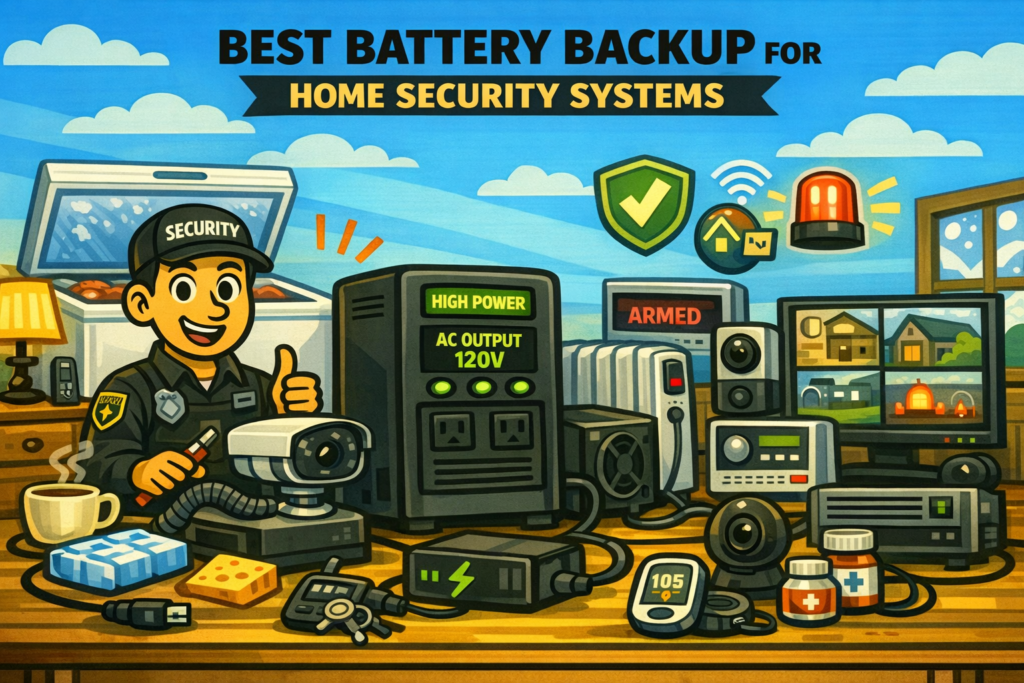
Your home security system is only as reliable as the power feeding it. When the grid drops, cameras go offline, NVRs stop recording, routers lose connectivity, and alarm panels may fail to report events. A properly sized battery backup keeps your entire security ecosystem online during outages, ensuring continuous monitoring and protection.
This guide compares the best battery backup options for home security systems across real‑world setups. Each recommendation includes capacity, waveform type, runtime estimates, and protection features so you can match a backup solution to your cameras, NVR, router, and alarm hub without overspending.
Best Battery Backup for Home Security Systems — Quick Comparison
This comparison table gives you a fast overview of the top battery backup options for home security. It highlights capacity, waveform, and best‑use scenarios so you can quickly match a unit to your router, cameras, and NVR.
| Model | Best For | Capacity | Output Type | Estimated Runtime* |
|---|---|---|---|---|
| APC BE600M1 | Router + modem | 600VA / 330W | Stepped sine | 2–6 hrs @ 10–25W |
| CyberPower EC850LCD | Router + hub + Wi‑Fi cameras | 850VA / 510W | Simulated sine | 3–8 hrs @ 20–60W |
| APC BR1000MS2 | NVR + PoE switch + router | 1000VA / 600W | Pure sine wave | 2–6 hrs @ 40–120W |
| EcoFlow River 2 Max | Extended runtime | 512Wh | Pure sine wave | 10–18 hrs @ 25–40W |
| Jackery Explorer 1000 Plus | Whole‑home security clusters | 1264Wh | Pure sine wave | 16–30 hrs @ 40–60W |
*Runtime varies based on camera count, PoE load, and NVR wattage.
Best Battery Backup for Home Security by Scenario
Security systems vary widely. A simple router and a few Wi‑Fi cameras draw far less power than a full PoE NVR rack. These recommendations cover the most common home security configurations.
APC BE600M1
Definition: This category is for keeping your internet connection alive so cloud‑based cameras and alarms continue working during outages.
The APC BE600M1 provides enough backup power for your modem and router, ensuring your security system stays online even if the grid goes down.
| Capacity | 600VA / 330W |
|---|---|
| Output Type | Stepped sine wave |
| Outlets | 7 total (5 battery + surge) |
| Best Use | Router + modem |
Security Runtime: ~2–6 hours at 10–25W.
Pros
- Very affordable
- Long runtime for low loads
- Compact and easy to place
Cons
- Not ideal for NVRs or PoE switches
- Stepped sine wave only
CyberPower EC850LCD
Definition: This category is for homes running Wi‑Fi cameras, smart locks, alarm hubs, and a router.
The CyberPower EC850LCD offers enough capacity to keep your router, hub, and several Wi‑Fi cameras online during outages.
| Capacity | 850VA / 510W |
|---|---|
| Output Type | Simulated sine wave |
| Outlets | 12 total (6 battery + surge) |
| Best Use | Wi‑Fi cameras + hubs |
Security Runtime: ~3–8 hours at 20–60W.
Pros
- LCD shows load and runtime
- Great for Wi‑Fi camera clusters
- Affordable and reliable
Cons
- Not pure sine wave
- Limited for PoE systems
APC BR1000MS2
Definition: This category is for full PoE camera systems with an NVR, PoE switch, router, and multiple IP cameras.
The APC BR1000MS2 provides pure sine‑wave power ideal for NVRs and PoE switches, ensuring continuous recording during outages.
| Capacity | 1000VA / 600W |
|---|---|
| Output Type | Pure sine wave |
| Outlets | 10 total (6 battery + surge) |
| Best Use | NVR + PoE switch |
Security Runtime: ~2–6 hours at 40–120W.
Pros
- Pure sine wave for sensitive electronics
- Ideal for PoE camera systems
- Trusted APC reliability
Cons
- Heavier than smaller UPS units
- Higher cost
Jackery Explorer 1000 Plus
Definition: This category is for homes in areas with long outages, storms, or wildfire PSPS events.
The Jackery Explorer 1000 Plus provides long‑duration backup for your entire security system, including router, cameras, NVR, and PoE switch.
| Capacity | 1264Wh |
|---|---|
| Output Type | Pure sine wave |
| Outlets | AC + USB + DC |
| Best Use | Whole‑home security clusters |
Security Runtime: ~16–30 hours at 40–60W.
Pros
- Massive runtime for low‑draw systems
- Expandable battery options
- Portable and silent
Cons
- More expensive than UPS units
- Requires periodic charging
Popular Battery Backup Accessories for Home Security Systems
These accessories help you organize, protect, and optimize your home security power chain for continuous uptime.
Low‑Power PoE Switch
Efficient PoE switches reduce total load and extend UPS runtime.
| Type | PoE network switch |
|---|---|
| Use Case | IP camera systems |
Cable Management Kit
Keep UPS, NVR, router, and PoE switch wiring tidy for better airflow and easier troubleshooting.
| Type | Cable management |
|---|---|
| Use Case | Security racks and closets |
Label Maker
Label battery vs. surge outlets and critical power runs so nothing gets unplugged by mistake.
| Type | Label printer |
|---|---|
| Use Case | Security and network panels |
How to Choose the Best Battery Backup for Your Home Security System
Choosing the right battery backup starts with knowing your system’s wattage. Most routers draw 10–20W, Wi‑Fi cameras draw 3–7W each, and PoE cameras draw 5–15W each depending on IR usage. NVRs typically draw 10–40W. Add everything together, then choose a UPS or power station that can handle at least 2× your typical load.
| Security System Type | Typical Draw | Recommended Backup Size |
|---|---|---|
| Router + modem | 10–25W | 400–600VA UPS |
| Router + Wi‑Fi cameras | 20–60W | 850–1000VA UPS |
| NVR + PoE switch + cameras | 40–120W | 1000–1500VA UPS |
| Whole‑home security cluster | 40–80W | 500–1500Wh power station |
People Also Ask (Quick Answers)
Do I need a battery backup for my home security system
If you rely on Wi‑Fi cameras, cloud‑based alarms, or an NVR, a battery backup ensures continuous protection during outages.
How long should a UPS run my security system
Most systems run 2–6 hours on a UPS and 12–30+ hours on a portable power station.
Do PoE cameras need pure sine wave
PoE switches and NVRs benefit from pure sine wave, especially during failover.
Can I run my entire security system on a power station
Yes — security systems draw very little power, making them ideal for long‑runtime power stations.
Real‑World Battery Backup Runtime Examples for Home Security
These examples show how long common UPS and power station sizes can keep a typical home security system running. Actual runtime depends on camera count, PoE load, and NVR wattage.
| Backup Type | Security Load | Approx. Runtime |
|---|---|---|
| 600VA UPS | 20–30W | 2–4 hours |
| 850VA UPS | 40–60W | 3–6 hours |
| 1000VA UPS | 60–100W | 2–5 hours |
| 500Wh power station | 25–40W | 10–18 hours |
| 1000Wh power station | 40–60W | 16–30 hours |
Common Mistakes When Choosing a Battery Backup for Home Security
- Not backing up the router: Cameras and alarms lose remote access without internet.
- Using surge‑only outlets: Many UPS units have both battery and surge‑only ports — double‑check.
- Underestimating PoE load: PoE switches can add 5–15W per camera.
- Not testing failover: Always simulate an outage once.
- Letting UPS batteries age out: Replace batteries every few years.
FAQ: Battery Backup for Home Security Systems
Can I use a computer UPS for my security system
Yes — most home security systems run perfectly on PC‑class UPS units.
Will a UPS keep my cameras recording
Yes — as long as your NVR or cloud cameras and router are connected to battery‑backed outlets.
Should I leave my UPS on all the time
Yes — UPS units are designed to stay on and ready.
🔐 Explore More Home Security Power Guides
Protect your cameras, NVR, router, and smart home gear with our full collection of backup power guides.
As an Amazon Associate, we earn from qualifying purchases. This does not affect our reviews or product recommendations.